The phrase "motherboard repair" gets used loosely — sometimes meaning a full board swap, sometimes describing what we actually do, which is identifying and replacing the specific component that has failed. These are very different things in terms of cost, sustainability, and outcome. This article covers the latter: working directly on the board at the component level.
Chip-level repair involves electronic test equipment, precision soldering tools, and a systematic approach to fault isolation that narrows thousands of possible failure points down to one or two. It's not a simple process and it isn't appropriate for every fault — but when it is applicable, it allows a device to be brought back to function rather than written off.
Starting with the Symptoms
Every chip-level job begins with a careful account of what the device is or isn't doing. Before the board comes out of the chassis, we want to understand the sequence of events: does anything happen when power is applied? Do any indicator LEDs illuminate? Is there fan movement? Are there beep codes or specific LED flash patterns? Has the device ever worked intermittently since the fault appeared?
This information shapes the entire diagnostic approach. A device with no signs of life at all — no LEDs, no fan spin, no detectable current draw — concentrates suspicion on the earliest stages of the power delivery chain. A device that powers on, shows a fan spinning, but never produces a display image suggests the main system rails are probably functioning and the fault lies elsewhere: perhaps in the GPU, the display controller, the LVDS or eDP link, or the BIOS initialisation sequence. These are meaningfully different starting points, and starting from the wrong one wastes time.
Visual Inspection Under Magnification
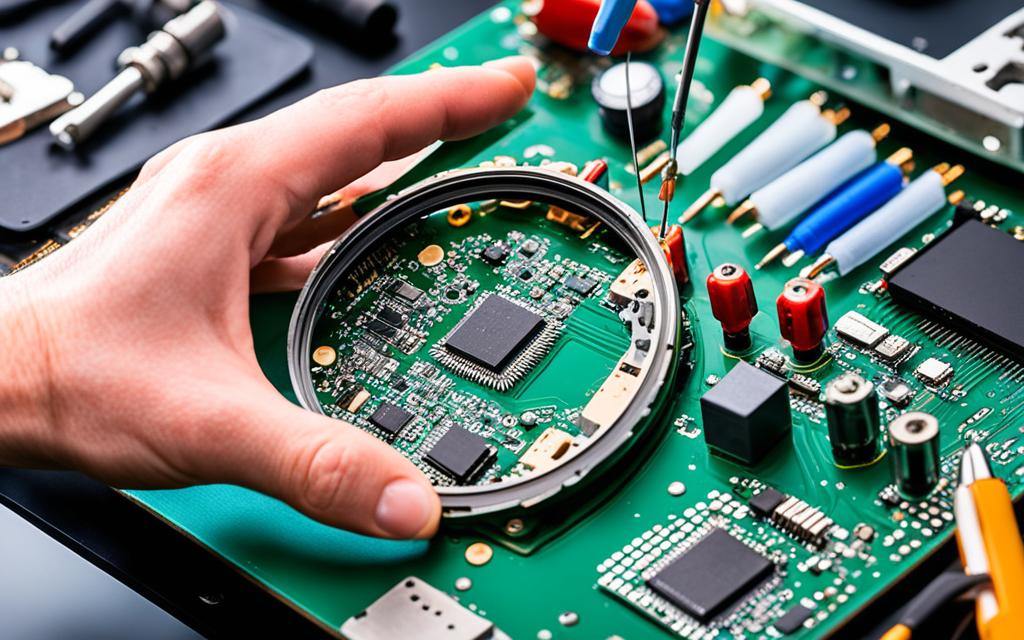
Once the board is removed from the chassis and any contamination has been carefully cleaned away, a close visual inspection under magnification is often the most productive single step in the process. A good stereo microscope at 10–40× will reveal things that are invisible to the naked eye: lifted component pads, cracked solder joints at the corners of large ICs, burned or discoloured areas of the PCB, swollen capacitors, and the characteristic branching patterns of corrosion from liquid ingress.
Roughly a third of the faults we encounter are at least partially diagnosable from visual inspection alone. A dry joint on a voltage regulator FET, a cracked decoupling capacitor, a lifted ball on a BGA — all of these are visible once you know what you are looking at. Visual inspection is always the first powered-down step because it costs nothing and can dramatically narrow the search space before any probing begins.
Powered Diagnostics: The Bench Supply Approach
We use a current-limited bench power supply rather than the original charger for powered diagnostics. This is a deliberate choice: the bench supply allows us to set an upper current limit so that if there is a short on the board, we observe a steady elevated current draw rather than a blown fuse or a damaged power source. More importantly, watching the ammeter as we apply power tells us immediately whether there is a short-circuit condition and, if so, approximately how severe it is.
A healthy board in standby draws a predictable small current — usually a few hundred milliamps. As the power button is pressed and various rails initialise, current rises in a recognisable pattern. Deviations from that pattern — a rail that never comes up, a current spike at a particular stage, or a rail that comes up and immediately collapses — point toward specific sections of the circuit.
Testing Individual Voltage Rails
Laptop motherboards distribute power through multiple dedicated voltage rails. The standby rail powers the embedded controller and the circuitry that listens for a power-on command. Main system rails supply the processor, GPU, memory, storage, and peripheral controllers. Display rails power the backlight driver and panel electronics. Each rail is generated by a dedicated stage in the power management chain.
Using a multimeter and a schematic or board view reference, we verify each rail in sequence — first checking whether the rail exists at all, then whether it's at the correct voltage, then whether it's stable. A rail that reads 0V when it should be active points toward the generating IC or the enable signal it depends on. A rail at the wrong voltage suggests the feedback path has been disrupted. A rail that oscillates rather than settling cleanly often points to an instability in the PWM control loop.
Oscilloscope Work
A multimeter gives a DC average. For some faults, that's enough. For others, you need to see the waveform, and that requires an oscilloscope. Excessive ripple on a rail — AC noise superimposed on the DC output — can cause instability even when the average voltage looks correct. Clock signals that should be clean square waves sometimes develop distortion or timing errors that cause downstream chips to fail to initialise. Oscilloscope measurement is particularly valuable when diagnosing intermittent faults that are difficult to reproduce under measurement conditions.
Tracing Short Circuits
When a power rail is shorted to ground — meaning current flows directly from supply to ground rather than through the intended load — the fault needs to be localised. We use a milliohmmeter to measure resistance between the shorted rail and ground at various points on the board, working progressively toward the component with the lowest resistance in that path. Shorted ceramic capacitors, failed MOSFETs with drain-to-source breakdown, and damaged ICs with internal shorts all present this way, and the milliohmmeter approach reliably narrows the location without requiring the board to be powered through a potentially damaging level of current.
Thermal imaging is useful at this stage as well. Connecting the board to a current-limited supply and briefly allowing current to flow, then immediately capturing a thermal image, shows the hottest point on the board — which is almost always the shorted component.
Component Replacement: The Right Tools for Each Job
The replacement technique depends entirely on the component type. There is no single tool that handles everything correctly.
Small Surface-Mount Passives
Resistors, capacitors, and inductors in 0402 or 0201 packages are abundant on any motherboard. They fail less often than active components, but when they do — a cracked capacitor from physical stress, a resistor burned by overcurrent — they're replaced with a fine-tip iron, appropriate flux, and a steady hand. The work itself is physically straightforward; the difficulty is identifying which one, among hundreds, is the problem.
MOSFETs and Small IC Packages
Power switching transistors in SOT-23, DFN, or small QFN packages require hot-air removal to avoid stressing the PCB pads. The surrounding area needs to be protected with Kapton tape or shield plates, the component heated evenly until the solder melts, and the replacement reflowed into place cleanly. These are common components in power circuits and we carry a broad range for the most frequently encountered platforms.
BGA Components
Ball grid array packages — which include the main chipset, power management ICs in larger packages, GPU chips, memory chips on some designs, and embedded controllers — are the most technically demanding component category. The solder connections are hidden underneath the package, arranged in a grid, and cannot be reached with a conventional soldering iron.
BGA rework uses a controlled hot-air rework station with a precisely profiled temperature ramp. The board is pre-heated from below to reduce thermal stress, then the top heater brings the target area through the liquidus point of the solder alloy under a defined profile. The chip is lifted cleanly once the solder has melted, the pads are cleaned and inspected, and the replacement component — either a new chip or the original if rework is sufficient — is repositioned and reflowed back using a new solder ball array applied through a chip-specific stencil.
The quality of a BGA rework is only fully confirmed once the board is tested under load. X-ray imaging, where available, allows non-destructive verification of the joint quality. For critical repairs or where there is doubt, we use X-ray verification before declaring the job complete.

Post-Repair Verification and Testing
Completing the physical repair work is not the end of the job. The board is bench-tested with all rails verified, then reassembled sufficiently to boot and run POST. We verify that the operating system loads correctly and that the repaired function works as expected — not just that the device powers on, but that it performs correctly under real conditions.
Load testing matters here. A device that boots cleanly but crashes under sustained CPU or GPU load may have a secondary issue — degraded memory, a marginal power delivery stage — that wasn't visible during the initial diagnostic but becomes apparent once the primary fault is resolved. Where we have grounds to suspect secondary issues, we run extended load tests before returning the device.
When Component-Level Repair Is and Isn't the Right Approach
This type of work is not universally applicable. There are situations where it isn't the right answer, and we're direct about those when they arise.
Apple M-series processors and their closely integrated companion chips are not available through component supply channels. Faults that originate within those chips are not addressable at the component level regardless of skill or equipment. PCB damage — delamination, broken inner-layer traces, lifted pad arrays — can make a board unrepairable even when the faulty component is known and obtainable. And for older or lower-value devices, the labour involved in a complex multi-fault repair may exceed the value of the machine.
In practice, the most common scenario where component-level repair clearly makes sense is a relatively modern device with a single identifiable fault — a failed power management IC, a dry joint on a GPU chip from thermal cycling stress, a damaged charging circuit — where the PCB is otherwise intact and the component is available. These jobs frequently cost a fraction of a board replacement and restore full original functionality.
The judgment call about whether a particular fault in a particular device is worth approaching this way is something we make after a diagnostic assessment, not before. A proper assessment is the only honest starting point.
What to Expect If You Bring a Device In
Our process is straightforward: we assess the device, identify the fault, explain what we found and what we can do about it, and you decide whether to proceed. We don't begin repair work without your authorisation and we don't charge for repair work that doesn't resolve the fault as described.
Timescales depend on the complexity of the fault and whether specialist components need to be sourced. We keep stock of commonly needed parts for the most frequently encountered platforms. For less common components, sourcing typically takes a few working days. We keep you updated as the job progresses.
Motherboard Fault? Get in Touch
Describe the symptoms and we'll let you know whether a chip-level diagnostic makes sense for your device before you travel.
Contact the Workshop